
On Android, three settings limit smartphone notifications: airplane mode, silent mode, and do not disturb mode. They have similar names and often appear in the same quick settings panel, but they act on very different layers of the system.
Airplane mode disables radio connections, silent mode turns off the ringer, and do not disturb mode filters notifications according to specific rules. Confusing these three options can lead to missed calls, unnecessary battery drain, or unwanted total disconnection.
Comparison table: airplane mode, silent mode, and do not disturb on Android
Before delving into the details of each setting, a summary table allows you to visualize what each one disables and what it allows through.
| Criteria | Airplane Mode | Silent Mode | Do Not Disturb |
|---|---|---|---|
| Mobile network (calls, SMS, data) | Off | On | On |
| Wi-Fi | Off (can be manually reactivated) | On | On |
| Bluetooth | Off (can be manually reactivated) | On | On |
| GPS | On | On | On |
| Ringer and vibrations | Off | Off (vibration possible) | According to defined rules |
| Visual notifications (banners, badges) | None (no incoming data) | Displayed normally | Hidden or filtered |
| Alarms | Functional | Functional | Functional |
| Background message reception | No | Yes | Yes |
The most revealing line concerns background reception. Silent mode does not block any incoming data: messages arrive, apps sync, only the ringer is turned off. Do not disturb mode goes further by also hiding alert displays. Airplane mode, on the other hand, physically prevents any reception.
To understand the difference between airplane mode and do not disturb, remember that one acts on hardware (the antennas) and the other on software (alert management).

Airplane mode on Android: what gets turned off and what stays active
Activating airplane mode simultaneously disables the cellular network, Wi-Fi, and Bluetooth. The phone stops emitting and receiving radio waves. It is the only one of the three settings that actually interrupts the physical connections of the device.
On recent versions of Android, Wi-Fi and Bluetooth can be manually reactivated without leaving airplane mode. A common scenario: listening to music with Bluetooth headphones while flying, or connecting to onboard Wi-Fi. The cellular network, however, remains blocked as long as airplane mode is active.
GPS continues to function in airplane mode, as it receives satellite signals without emitting any. Offline mapping applications remain usable.
When airplane mode is useful in everyday life
Outside of flying, this mode serves in specific situations:
- Speeding up battery charging by eliminating consumption related to radio antennas, which represents a significant portion of the phone’s energy expenditure.
- Forcing a reconnection to the cellular network in case of an unstable signal, rather than restarting the device.
- Cutting off all wave emissions in an environment that requires it (hospital, examination room, laboratory).
However, no calls or SMS will be received as long as airplane mode remains activated. Messages will arrive in bulk upon deactivation.
Silent mode on Android: ringer off, connections intact
Silent mode is the simplest of the three. It only affects the audio output of the phone: the ringer is turned off, and depending on the chosen configuration, vibrations may be maintained or removed.
All connections remain active. Notifications continue to appear on the screen, apps sync normally, and incoming calls are displayed, just without sound. Silent mode does not filter anything; it just turns down the volume.
This setting is suitable for a short meeting or a commute: the phone doesn’t ring, but a glance at the screen is enough to see who is calling. However, notification banners continue to display and seek visual attention.
Do not disturb on Android: software filtering and automatic profiles
Do not disturb mode goes beyond simple silence. It removes or masks visual and sound notifications according to rules defined by the user. Network connections remain active, but the phone no longer displays any alerts, except those explicitly allowed.
Setting exceptions
The settings allow for certain interruptions to be permitted:
- Calls from favorite contacts or repeated calls (two calls from the same number within a few minutes).
- Alarms, which always go through in do not disturb mode.
- Notifications from certain chosen applications (work messaging, banking app).
- Calendar reminders or scheduled events.
On recent versions of Android, do not disturb integrates into contextual profiles (Sleep, Work, Driving, Distraction-free). These profiles automatically trigger according to time slots, the device’s location, or the opening of a specific application. The Sleep profile, for example, can activate do not disturb at a set time, turn the screen to grayscale, and only allow emergency calls.
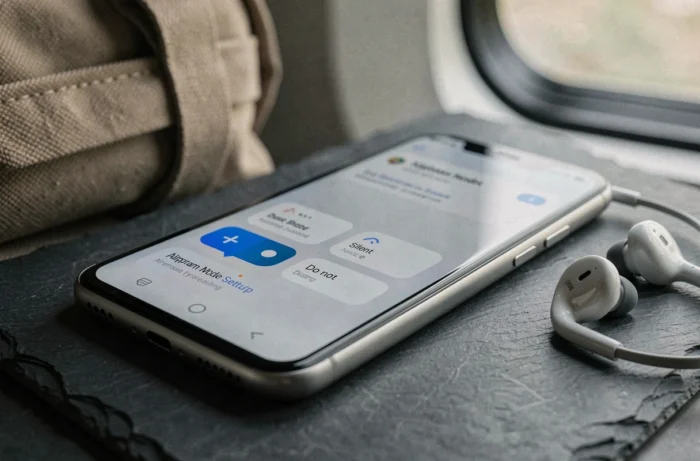
Automatic scheduling and digital wellbeing
The trend on Android is towards automating this mode. Through the digital wellbeing and parental control settings, it is possible to schedule do not disturb according to combined criteria: recurring schedule, location detection (office, home), or launching an application (game, video player). This profile logic is gradually replacing the one-time manual activation.
Do not disturb remains the only one of the three that allows you to stay connected while removing unwanted interruptions. Airplane mode cuts off too much, silent mode does not filter enough.
Which mode to activate depending on the situation on Android
The choice between these three settings depends on one question: do you need to remain reachable and connected?
For a night’s sleep, do not disturb mode with a scheduled Sleep profile covers most needs: alarms sound, emergency calls come through, the rest is silent. Activating airplane mode at night saves more battery, but prevents any reception until waking up.
For a one-hour meeting, silent mode is sufficient. Notifications remain visible on the screen, and there is nothing to reconfigure afterward. For an exam, a flight, or a situation requiring zero radio emissions, only airplane mode meets the need.
The most useful distinction to remember: airplane mode acts on hardware, silent mode on volume, and do not disturb on software filtering logic. Three different layers, three uses that do not substitute for one another.